How do I cancel my Subscription?Updated 16 days ago
Cancelling my subscription.
You will need to follow these steps:
- Login to your account portal or select manage subscriptions:

Proceed to select "MANAGE SUBSCRIPTIONS":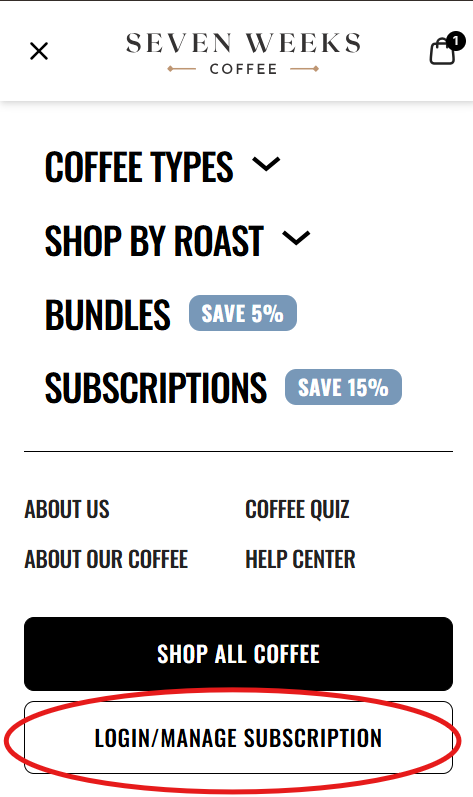
- Find the subscription you wish to adjust (In case there are multiple subscriptions).
- Click on the three dots next to "Get Now".
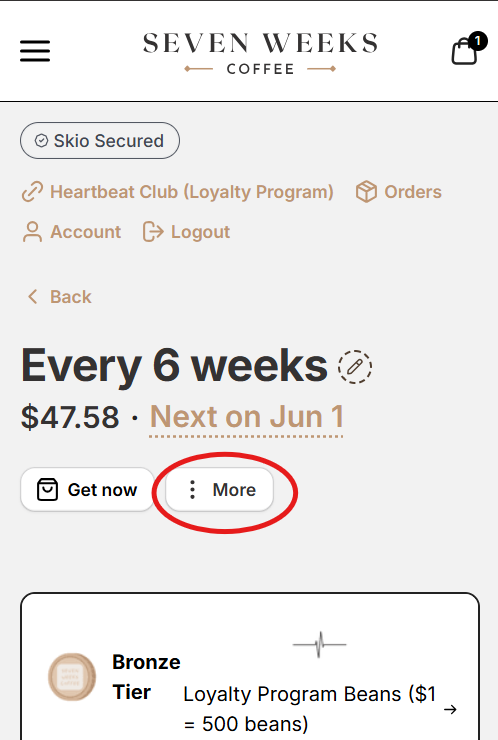
- Click on "Cancel".
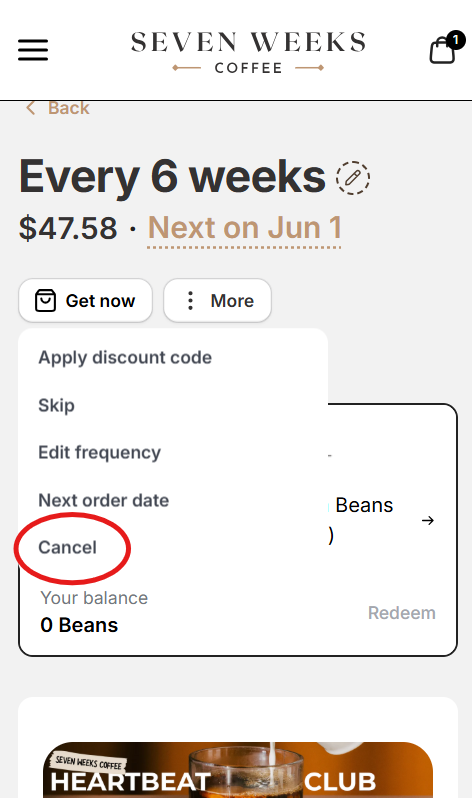
5. Follow instructions on screen.
P.S. These instructions are for a mobile device. The interface may look a bit different on a computer such as the option to login and manage subscription being on the top right of our home page.